Case study · UX design
DocuSign
The end-to-end redesign of DocuSign's enterprise SSO admin experience, used by IT administrators at thousands of Fortune 500 companies.
Section 1
Measurable impact
Giving people options and removing room for human error created real impact. Enterprise clients also re-certified weeks earlier than in previous rollouts.
- higher login success with biometric authentication
- +14%
- fewer login-related support tickets
- ~30%
- estimated annual cost savings for DocuSign
- ~$900K
- legacy screens moved to the Ink design system
- 250+
- authentication screens designed across three device sizes
- 12
- customers worldwide reached through sign-in
- 1.4M+
Section 2
Every enterprise login ran through this work
Signing in is where security and ease have to coexist. Because the work covered SSO, it touched every user who logs in through their company.
I worked hand in hand with agile development teams on login settings that met both technical and user needs, mostly SSO and identity provider settings.
- Owned the redesign end to end
- Balanced complex technical constraints with usability
- For IT administrators at thousands of Fortune 500 companies
Section 3
Not a reskin: rework it, or ink it
My user was the enterprise IT admin: a technical power user under compliance and security pressure, where one misstep can lock out a whole organisation.
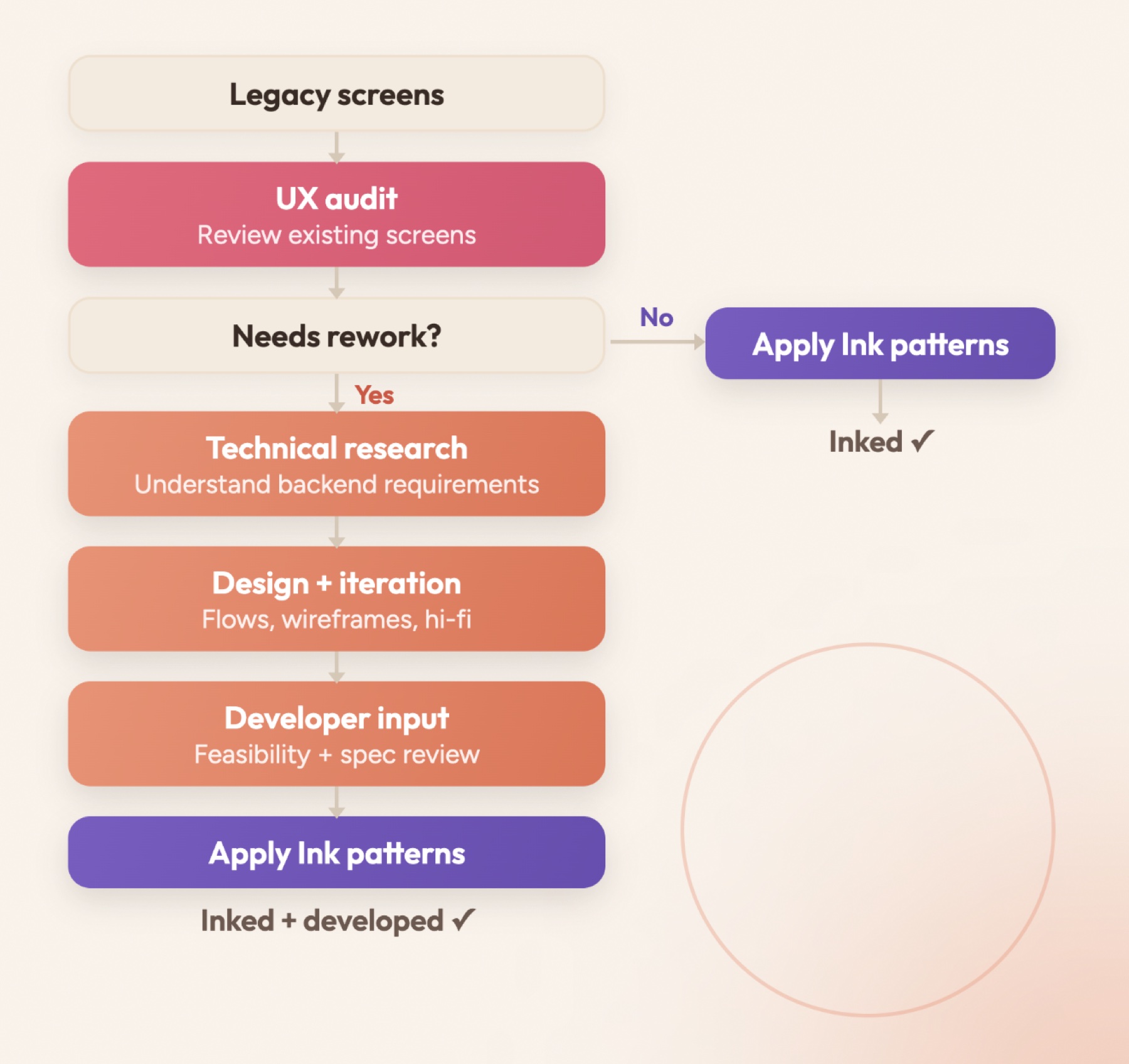
The systems team had standardised a new design system, Ink. I audited every screen to decide whether it could move to Ink as it was, or needed rework first.
- Triage. A UX audit of each existing screen.
- Ready? Apply Ink patterns and it's done.
- Needs rework? Technical research, design and iteration, developer review, then Ink.
Section 4
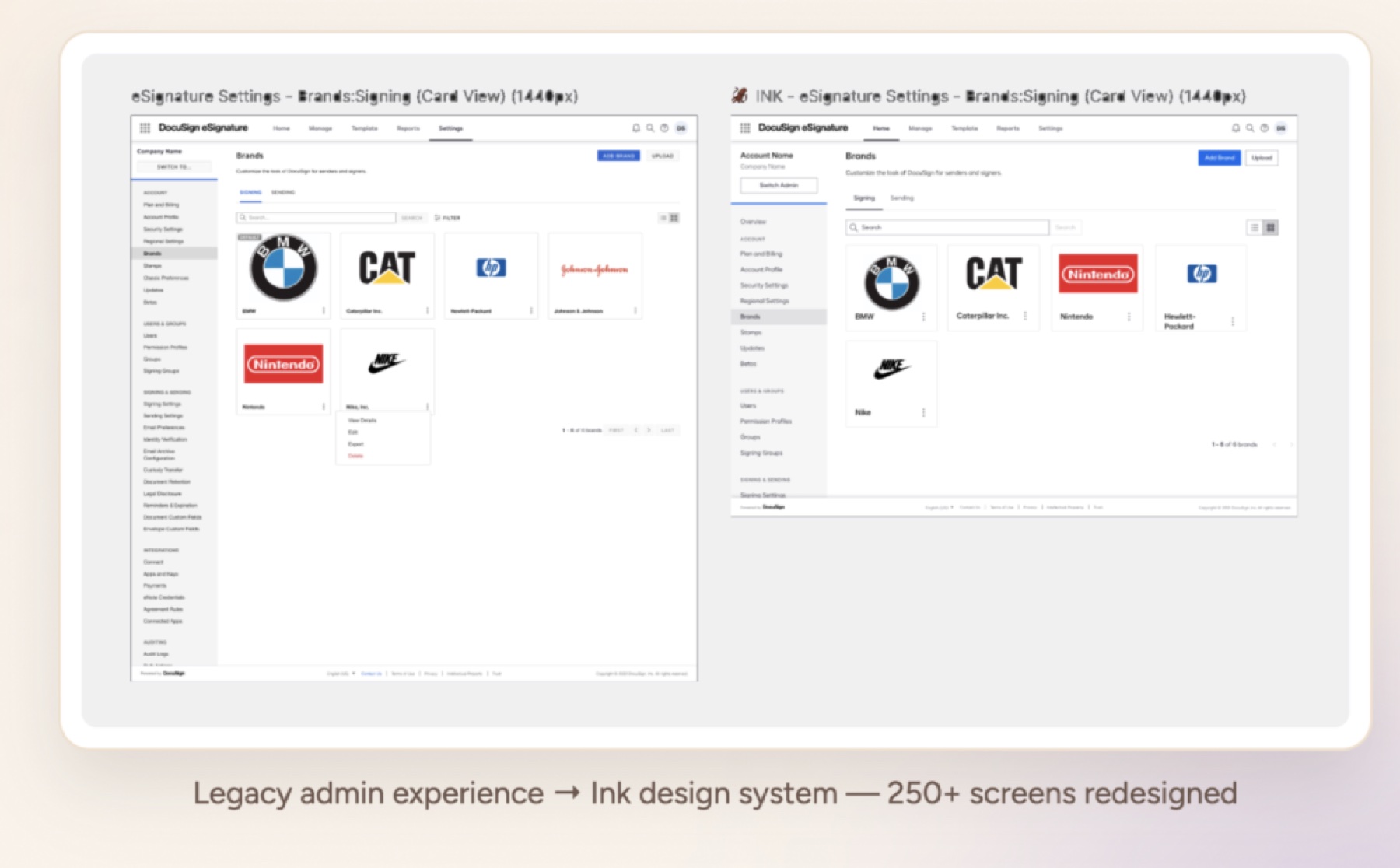
Inked 250 screens
For screens that needed no rework, I applied Ink across the entire admin settings experience.
Every legacy interface got the new components, patterns and visual principles, systematically, across the board.
Section 5
Research: mobile login
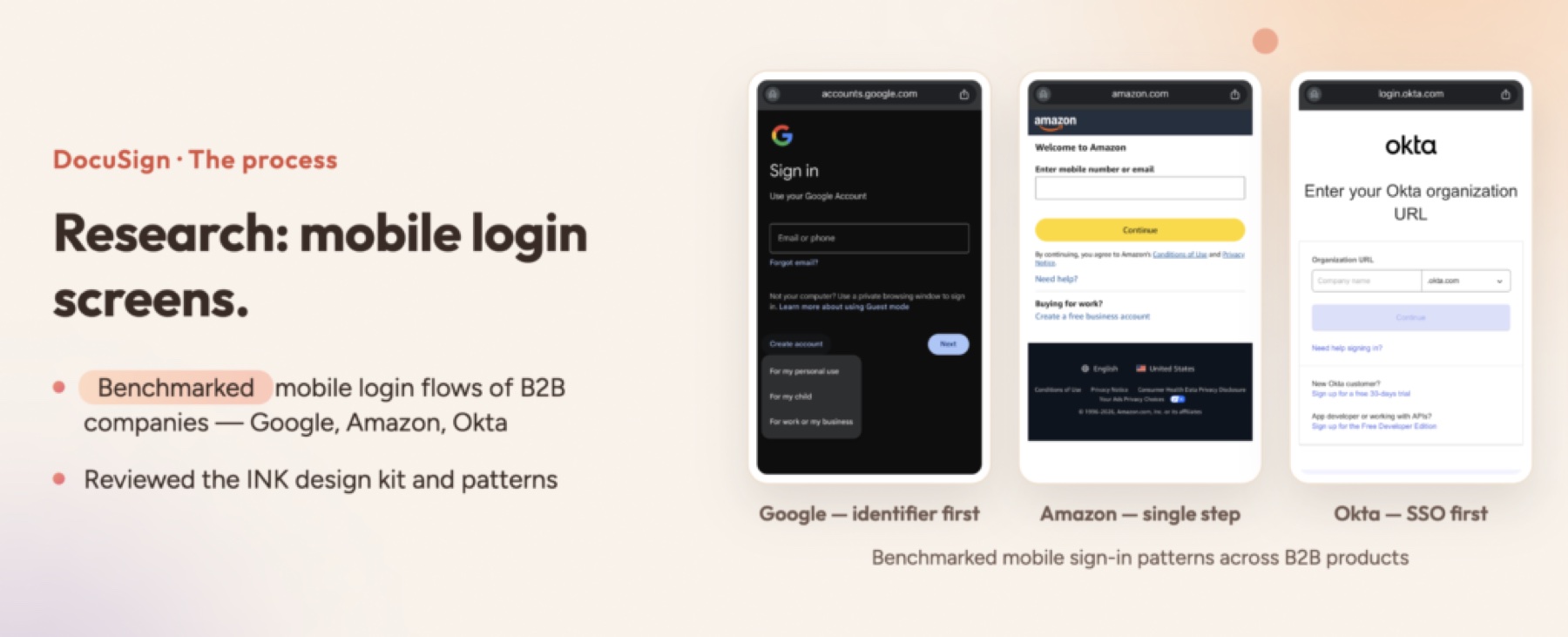
Screens that needed rework, like login, gained biometric options. I started by benchmarking how other B2B companies handle sign-on and verification.
- Google. Identifier first.
- Amazon. A single step.
- Okta. SSO first.
- Then a review of the Ink design kit and its patterns.
Section 6
A custom duotone icon set
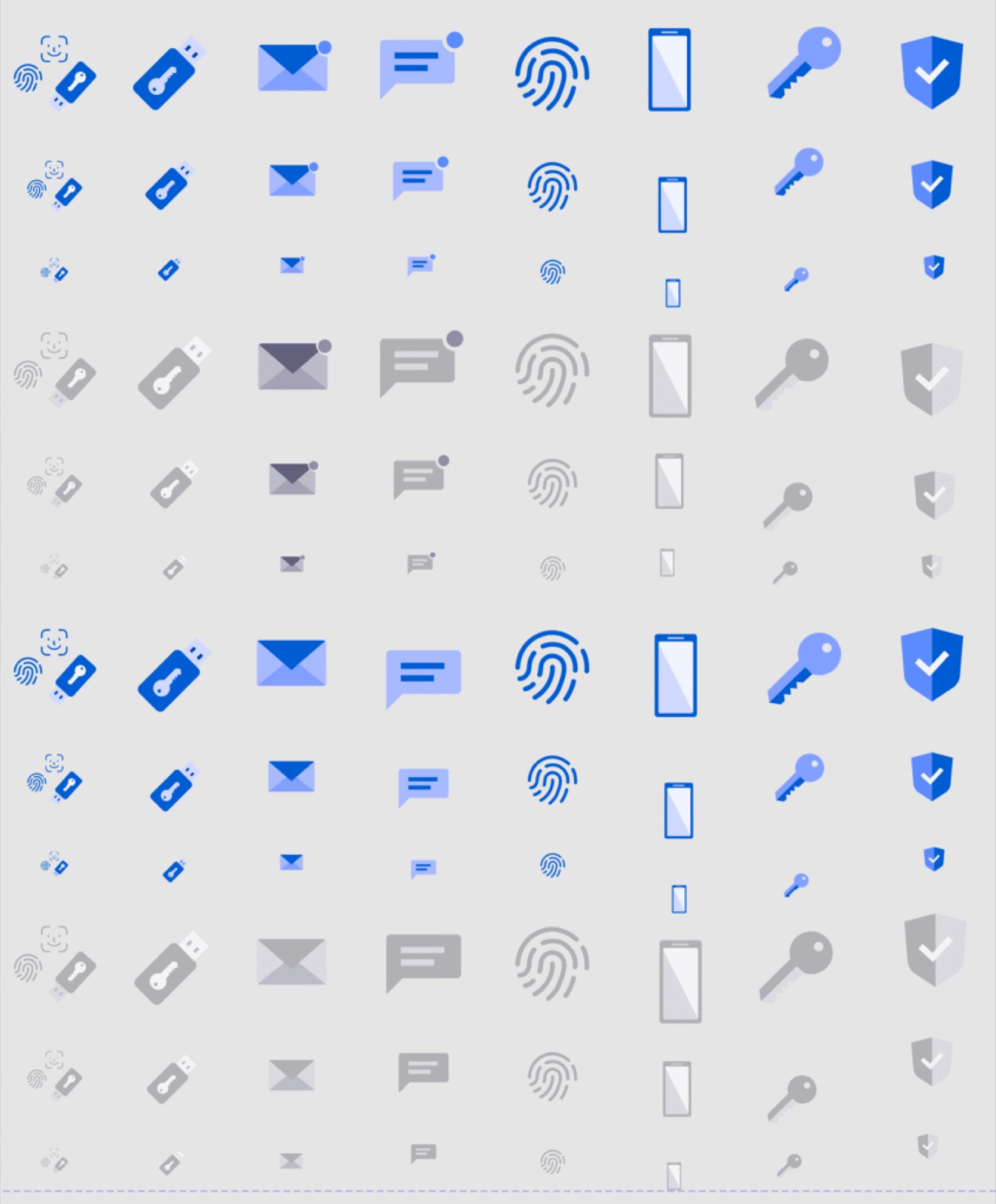
I designed an icon set for the Agreement Cloud team and prototyped every interaction state.
- Hover, active and disabled states for each icon
- Sized for mobile, tablet and desktop
- Used across authentication and security flows
Section 7
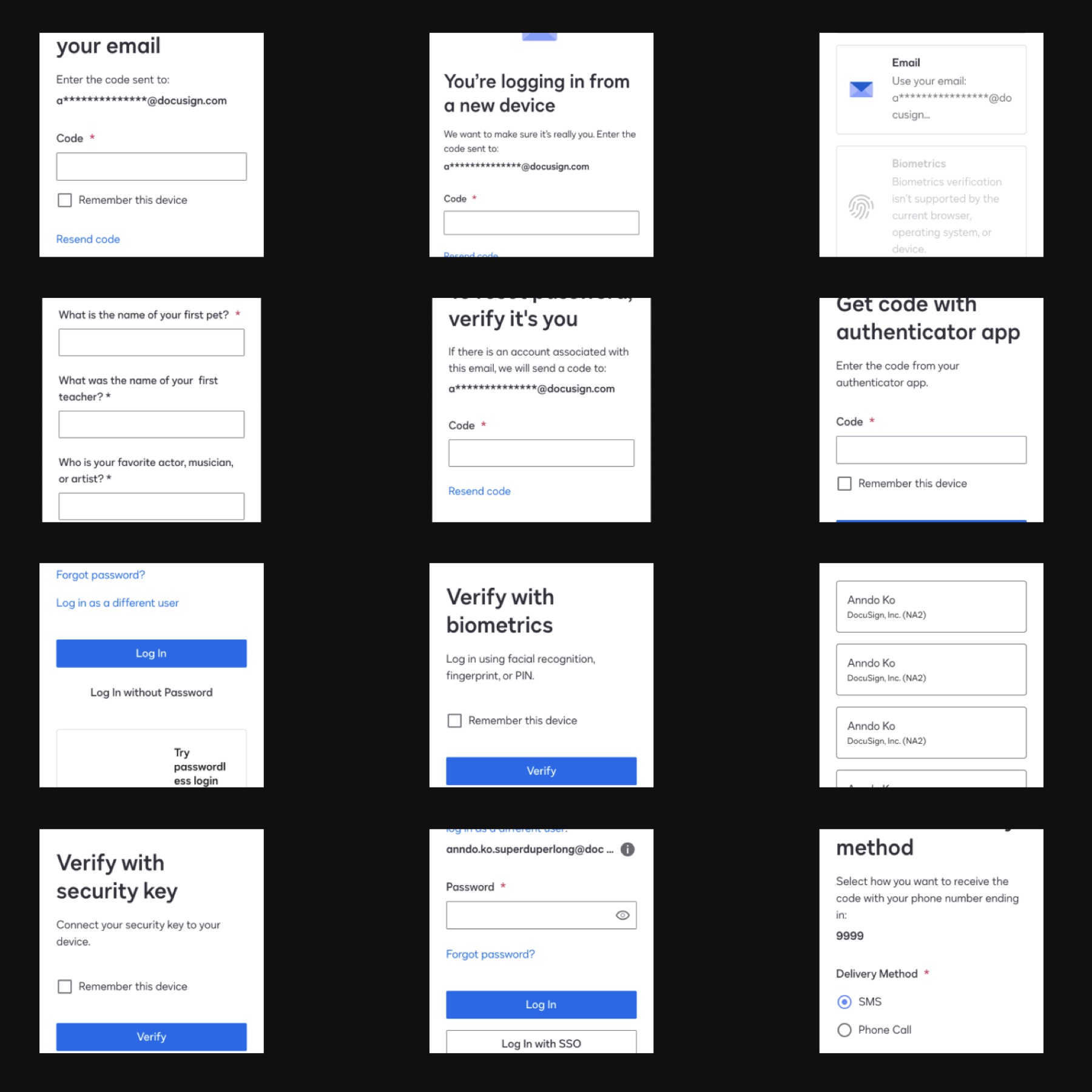
Design: the login screens
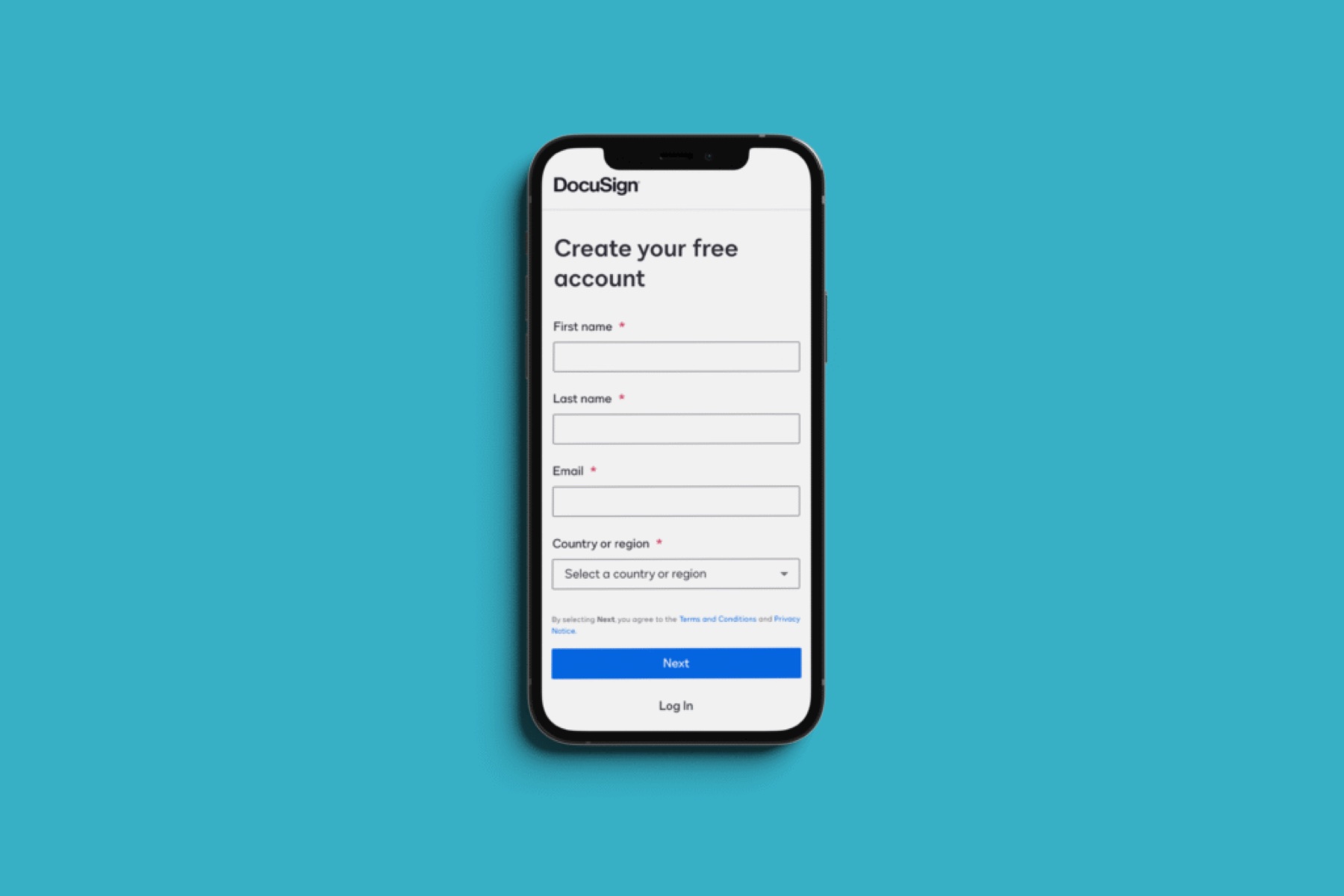
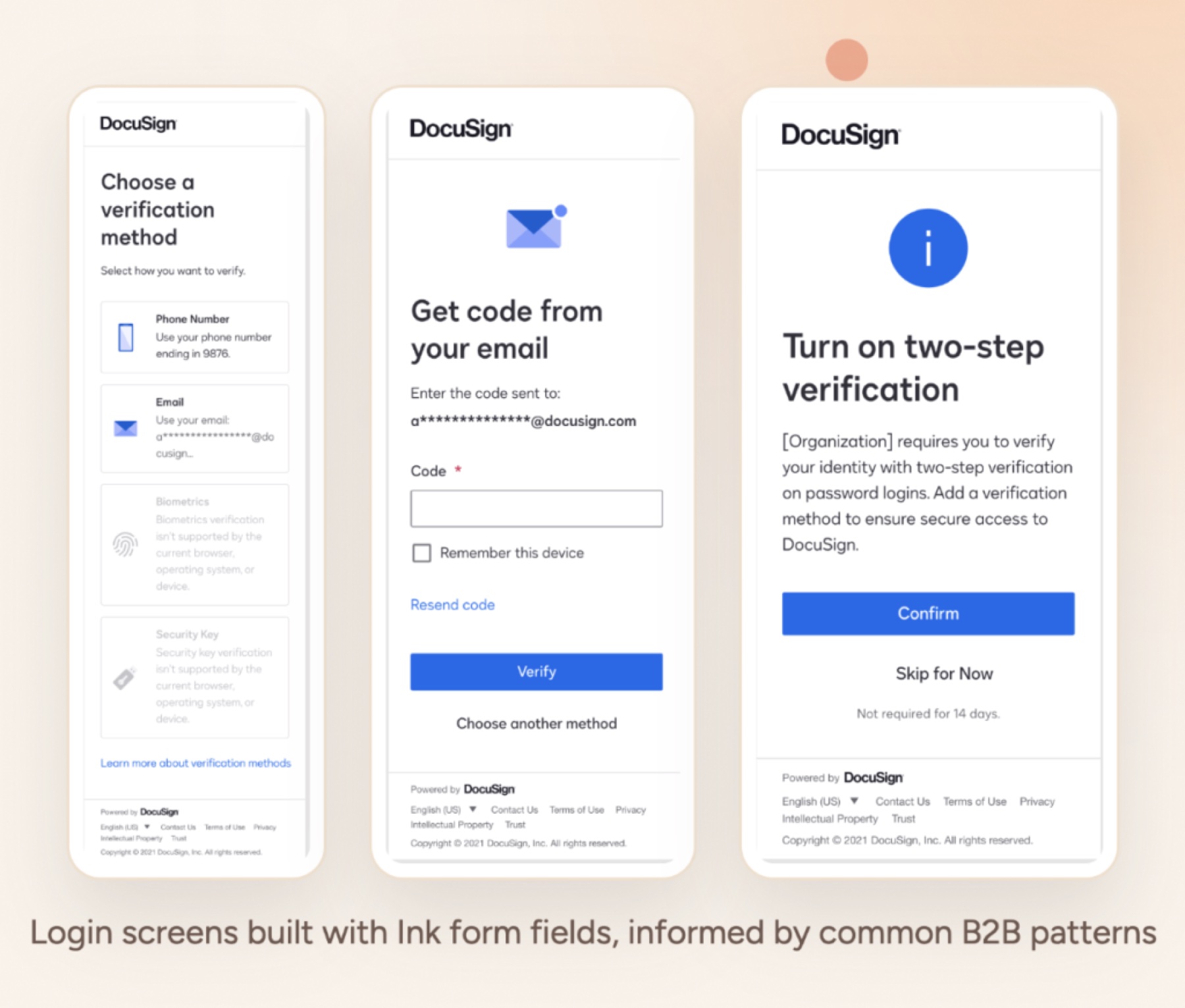
A direct redesign: the must-have elements were already collected in research, so the screens came together from Ink's form fields, icons, helper text and buttons.
- Assembled from Ink patterns and components
- Informed by common B2B login patterns
Section 8
Going deep on SSO certificates
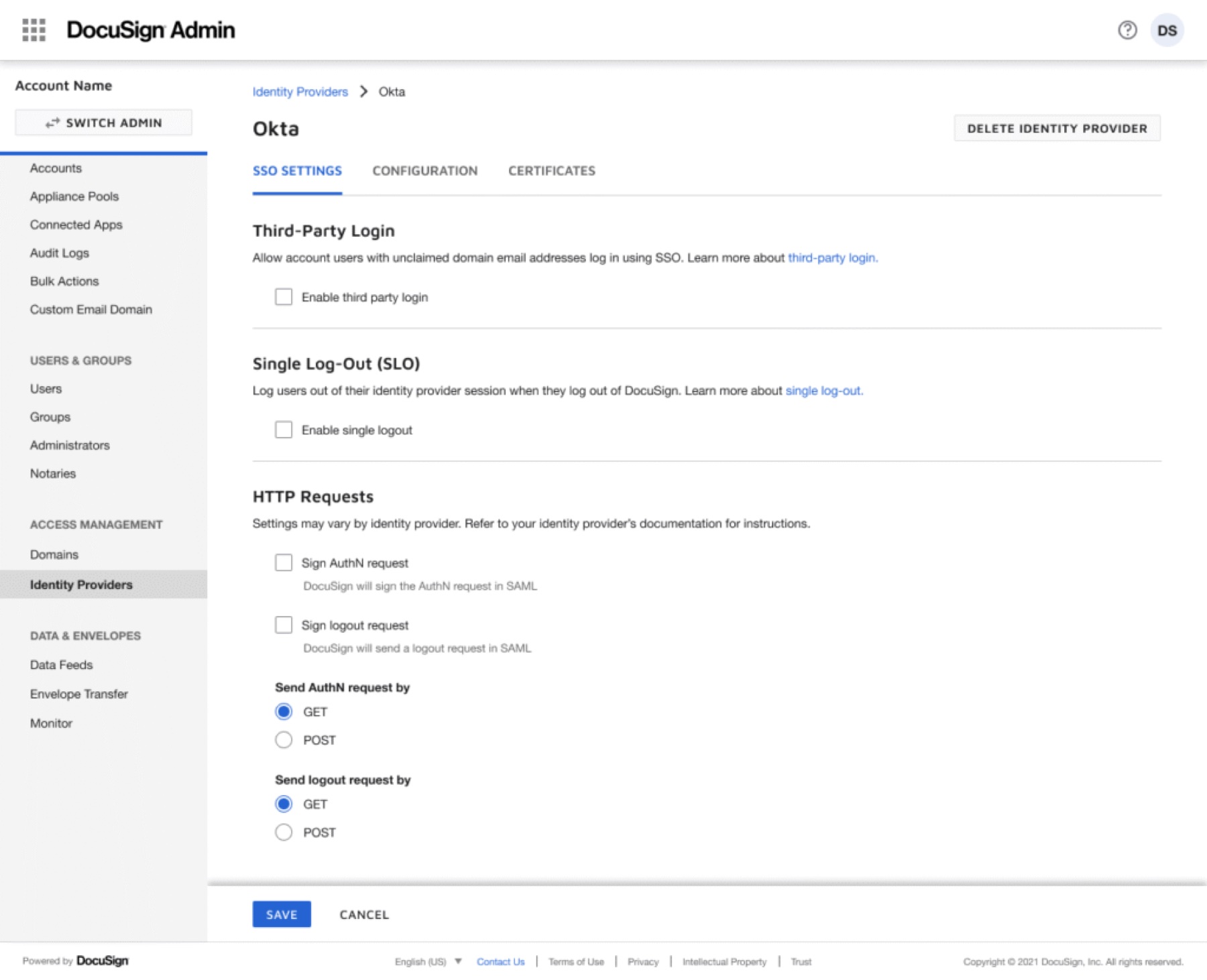
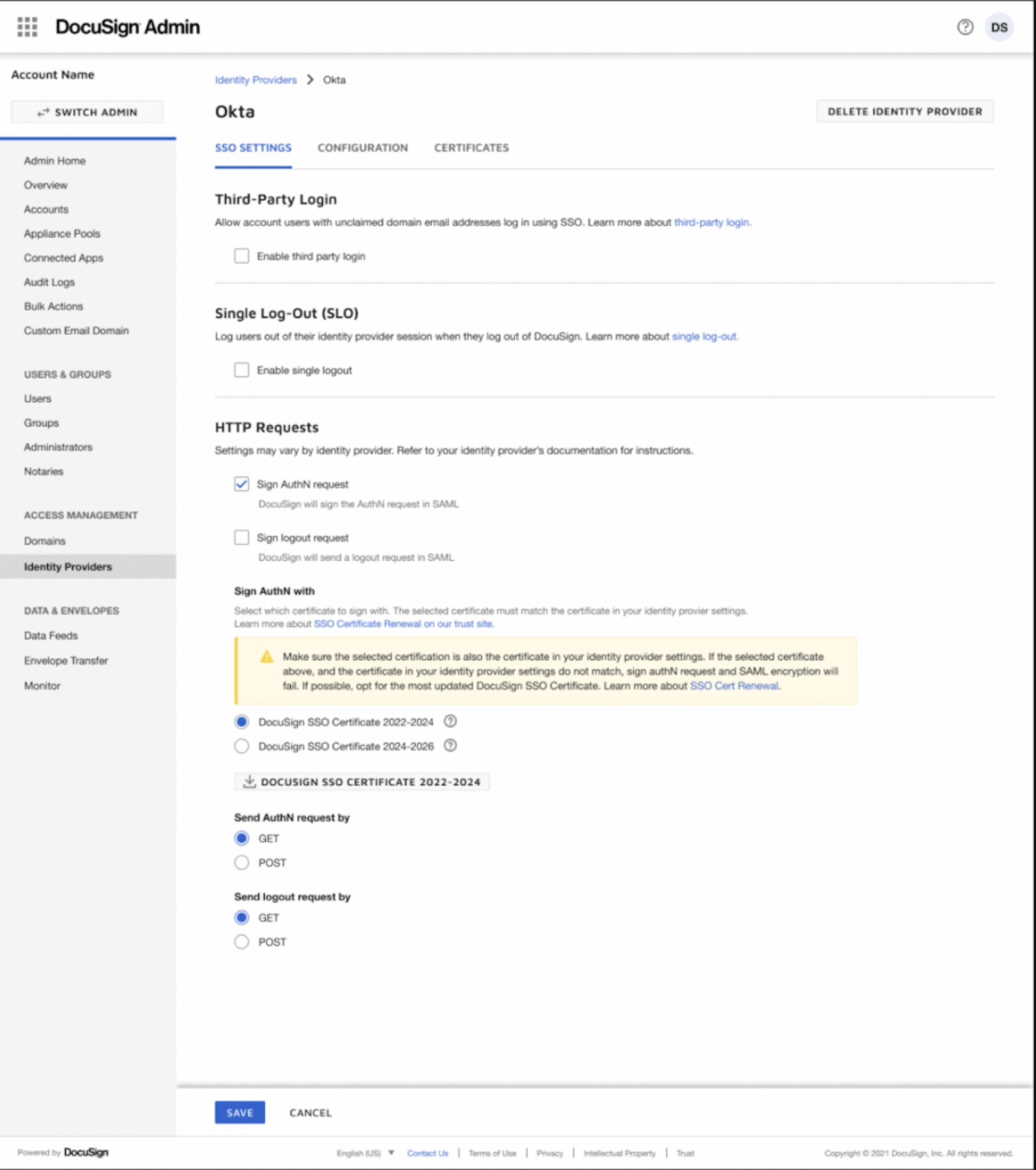
I owned the just-in-time provisioning flow IT admins use to renew their organisation's SSO certificate, which controls how every employee signs in.
- DocuSign generates a certificate: proof that login requests really come from DocuSign.
- The IT admin downloads it from the DocuSign admin console.
- They upload it to their identity provider, such as Okta, Google Workspace or Azure AD.
- Employees sign in through their company, and the two systems handshake securely.
The audit showed the old flow didn't give admins the clarity or confidence to act on a high-stakes, rare task, and their options changed with timing during each rollout.
Section 9
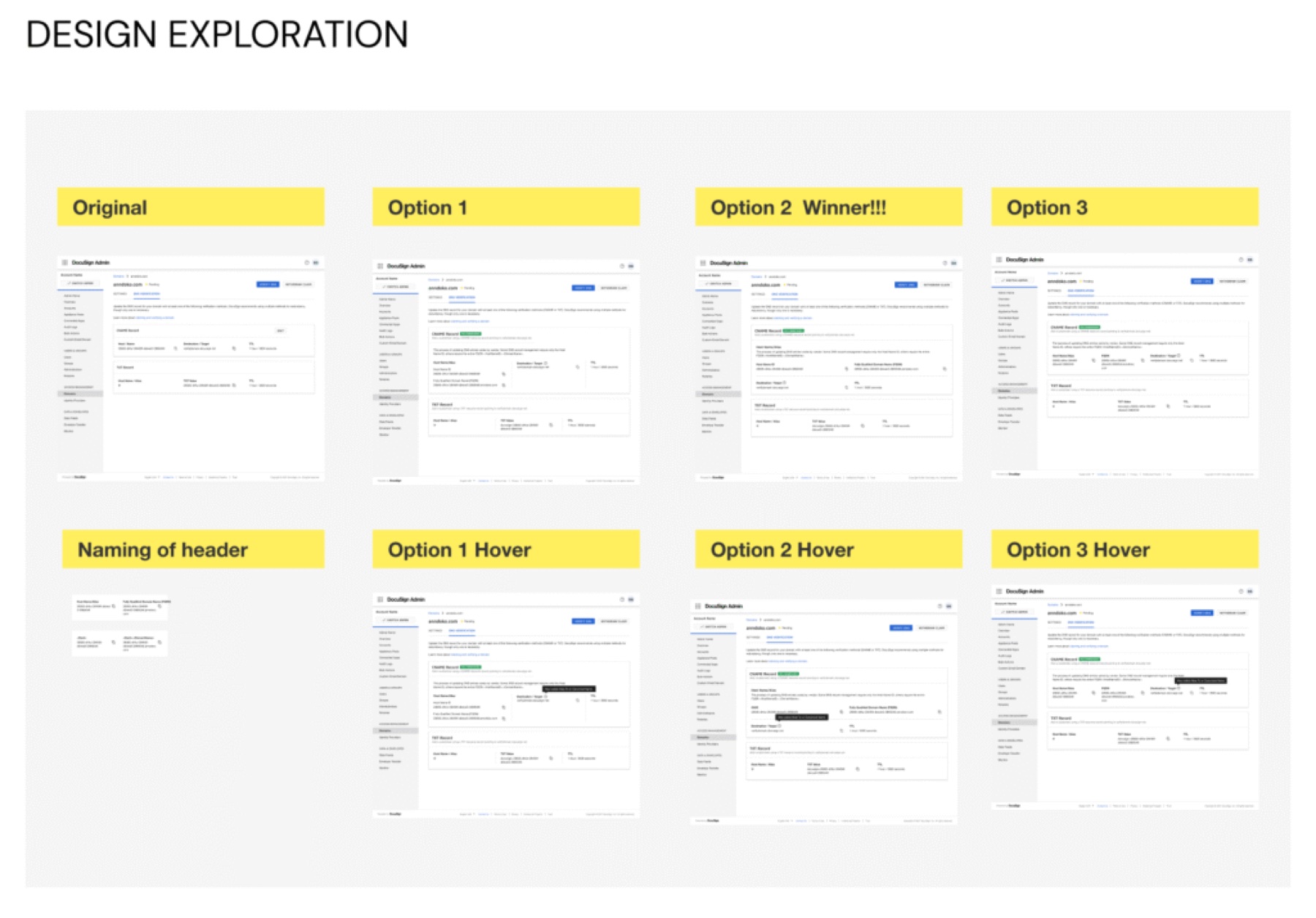
Three directions, one selected
I mapped about 30 screens for the whole flow, ideated three solutions and reviewed them with the Systems team against guidelines and technical constraints.
Option 2 won because it lowered cognitive load: just the right information, the rest in a helper tooltip on hover, and copyable values that are easy to grab.
- Direct download of the certificates identity providers need, no longer buried in a files section
- A dedicated error-messaging system for certificate failures, with alert banners and helper text
- Self-service certificate rollover
- 12 authentication screens, including forgot password, 2FA, biometrics and SSO, across mobile, tablet and desktop
- Clearly documented specs for a smooth developer hand-off